On iPhone or iPad
Open Wolf Golf in Safari, tap Share, choose Add to Home Screen, leave Open as Web App on if shown, then tap Add.

 Wolf Golf by Mintysoft
Phone-first web app for the golf course
Wolf Golf is a web app designed to live on your phone while you play. Open it in Safari or Chrome, add it to your Home Screen and tap its icon on the course. If you are on a computer, try the real app inside our interactive phone preview.

Put it in your golf bag
There is nothing to find in an app store. Open the Wolf Golf web app from this site, save it to your phone’s Home Screen, and it will have its own icon and open in an app-style window whenever you play.
Choose the option that matches your device.
Open Wolf Golf in Safari, tap Share, choose Add to Home Screen, leave Open as Web App on if shown, then tap Add.
Open Wolf Golf in Chrome, then choose Install app or Add to Home screen when offered. You can also find it in Chrome’s menu.
Wolf GolfIllustration of Wolf Golf saved alongside your usual phone apps.
Animated installation guide
Choose iPhone or Android and watch how to open Wolf Golf, add it to your Home Screen and find its icon ready for the course.
Made for the course
Select from a collection of formats designed to add variety and friendly competition to the round.
Record what happens on the course while Wolf Golf keeps the game’s scoring organised.
Spend your attention on golf and your group rather than calculations and handwritten score tables.
Included formats

Everyone plays their own ball while six points are divided on every hole. Low score earns four, next earns two and highest earns none, with ties splitting the points evenly.
For 3 players

Four golfers change partners after every six holes. Choose Best Ball or Combined Score for the round; Wolf Golf tracks the winning pair and every player’s individual points.
For 4 players

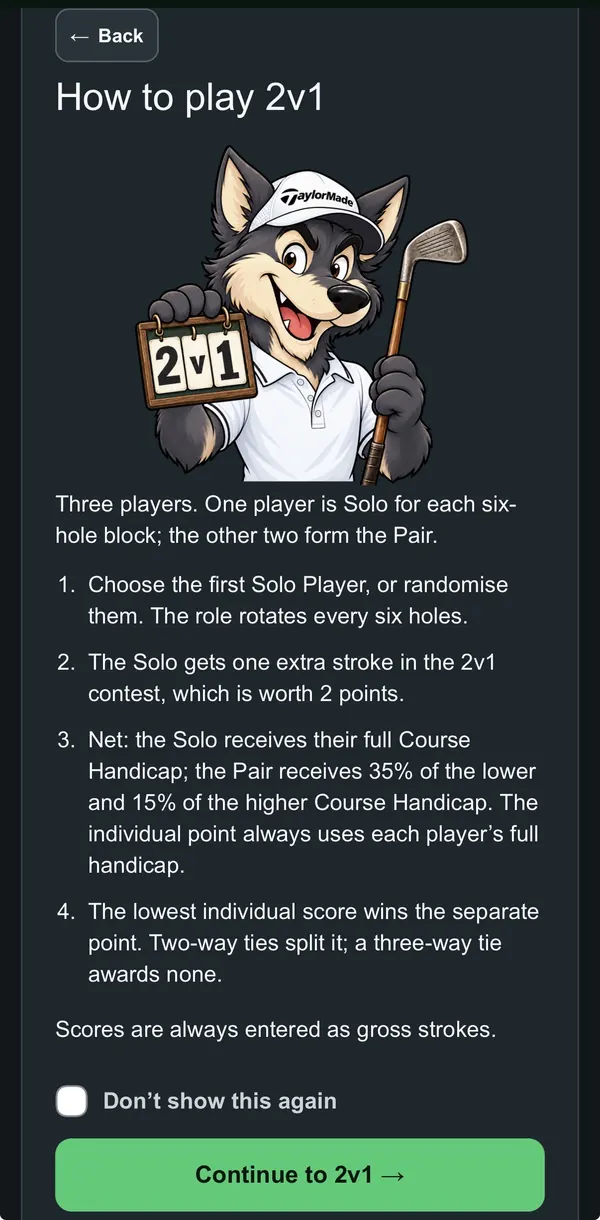
One golfer plays solo against the other two for six holes before the roles rotate. The app applies the handicap allowances and follows both the pair contest and individual point.
For 3 players

Four golfers compete as two pairs, with both players hitting every shot and then continuing from their preferred ball. Record one team score while the app keeps the match organised.
For 4 players

Two fixed pairs play Vegas golf. Each pair’s scores form a two-digit number with the lower score first, and the difference between those numbers becomes the winning team’s points.
For 4 players

A different player becomes Wolf on every hole, choosing a partner after each drive or going alone as Lone Wolf. The best score on each side determines the available points.
For 3 or 4 players
How it works
Set up a group of three or four golfers before the round.
Choose the game your group wants to play and start the round.
Enter the results as you go and let Wolf Golf manage the scores.
App preview
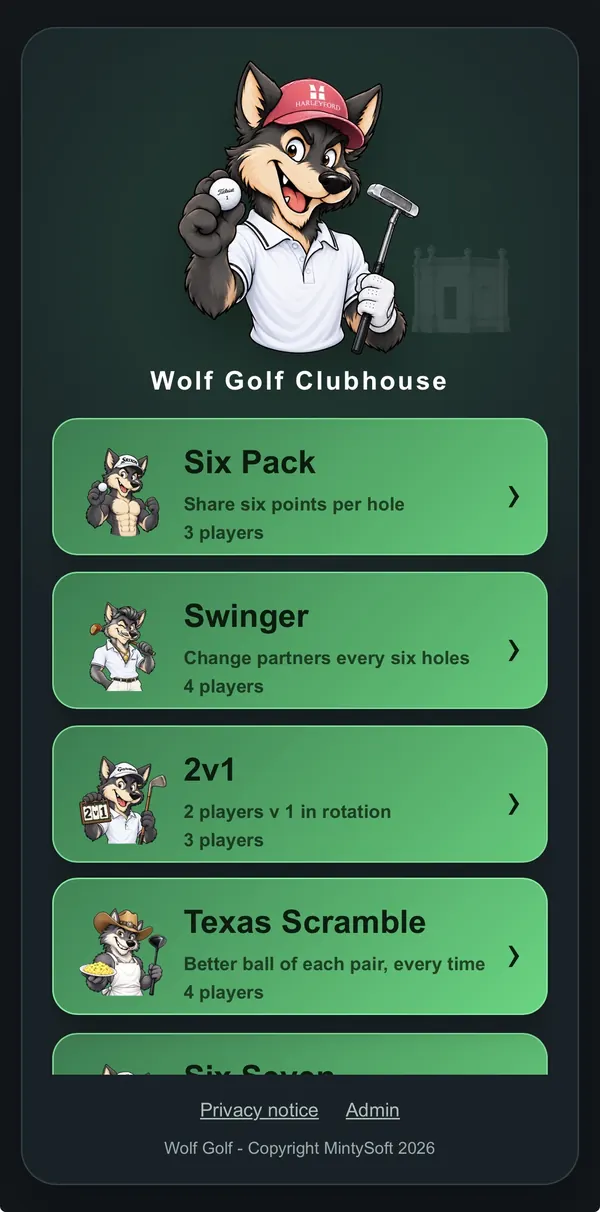
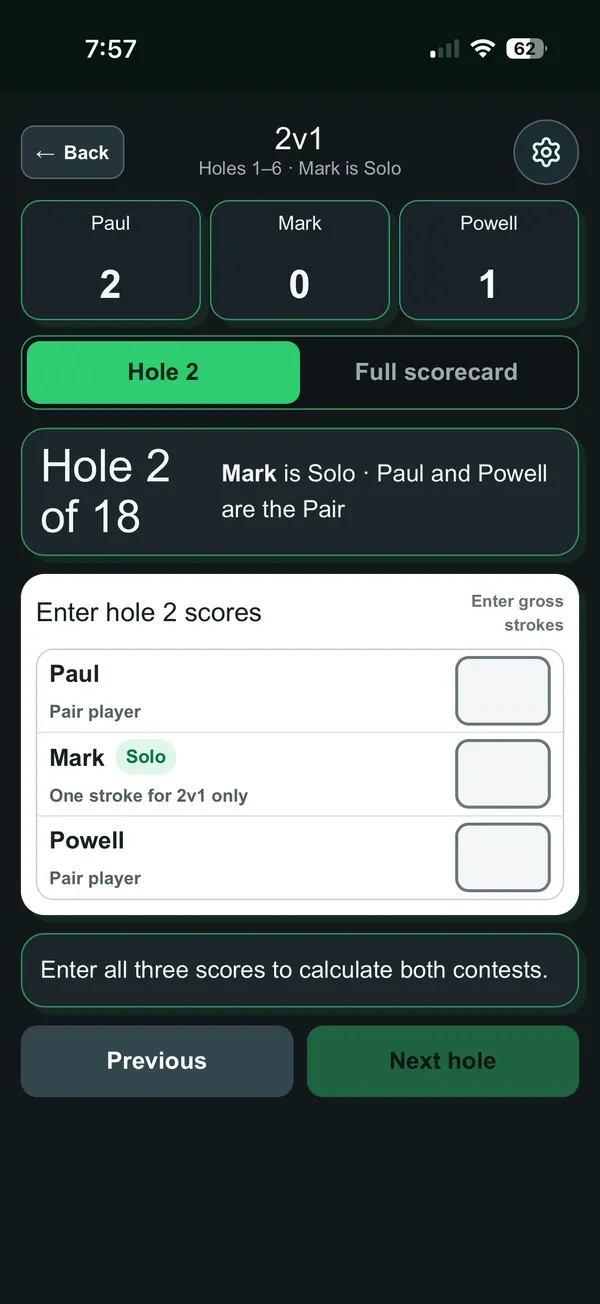
Choose a format in the clubhouse, check the rules, and enter each player’s score as the round progresses.
Frequently asked questions
Yes. Wolf Golf is currently free to use.
No. Wolf Golf is a web app. Open it in Safari or Chrome and add it to your phone’s Home Screen; it then has its own icon and opens like an app.
On iPhone or iPad, open it in Safari, tap Share, choose Add to Home Screen, leave Open as Web App on if shown, then tap Add. On Android, open it in Chrome and choose Install app or Add to Home screen when offered, or use the same option in Chrome’s menu.
The included games are designed for groups of three or four players.
The collection includes Six Seven (also known as Vegas), Texas Scramble, Swinger, Six Pack and other classic formats.
Yes. Wolf Golf is designed to manage the game and its scores while your group plays the round.
Explore the rest of the collection.
Open Wolf Golf on your phone before the round, or explore it in a phone preview on this computer.